
Data catalog and mapping
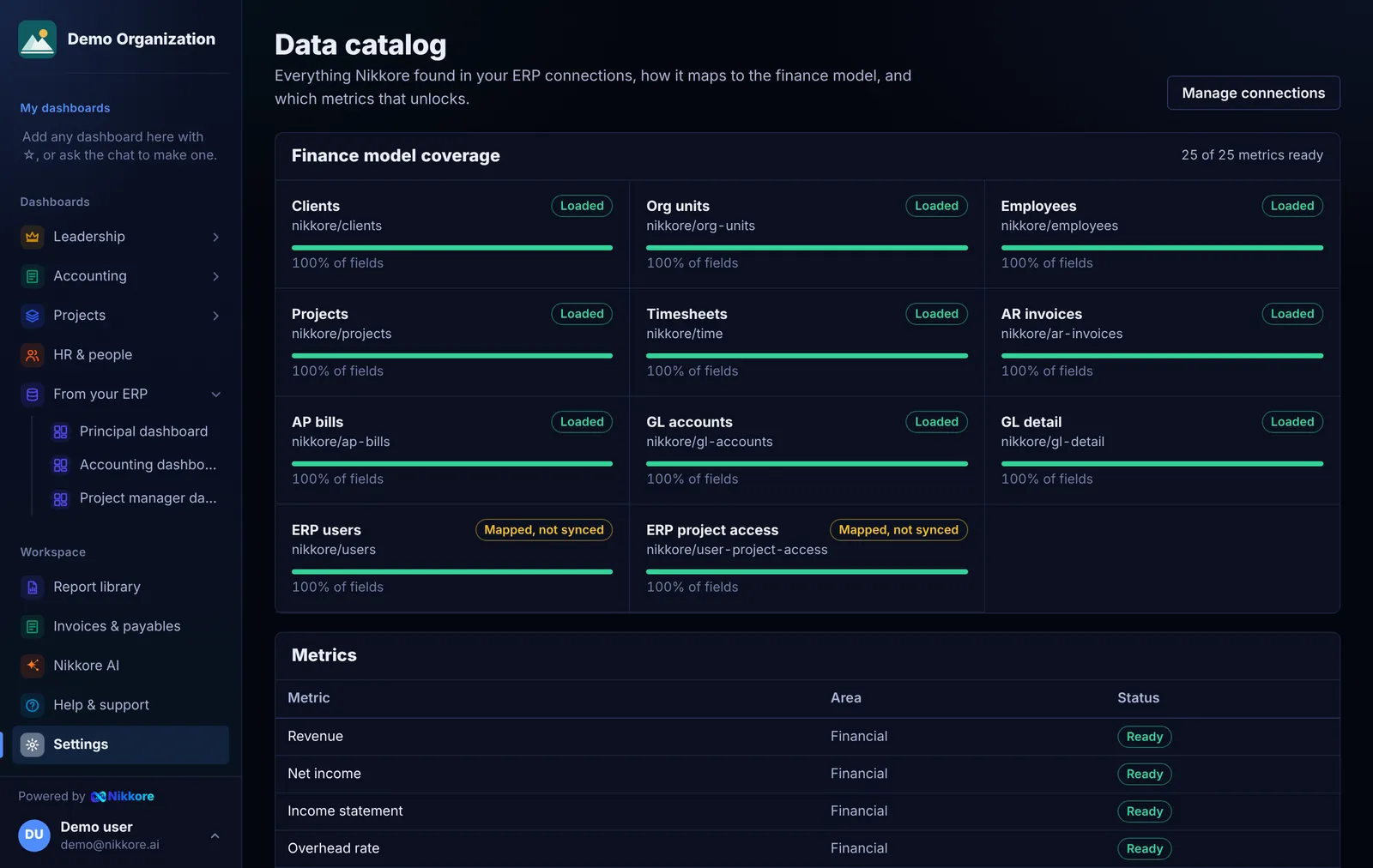
Every audit lists each endpoint or table your ERP login can see, how many rows it has, and how its columns map to Dashmor's finance model: clients, org units, employees, projects, timesheets, AR invoices, AP bills, GL accounts and GL detail.
Reading the catalog
- Finance model coverage shows each entity as Loaded, Mapped, not synced or Missing, with the share of its fields that were found.
- Metrics lists every calculation Dashmor offers and whether your data supports it. If a metric says Needs ap bills, connect that data and it switches to Ready.
- Discovered in your ERP is the full inventory, including sources Dashmor doesn't use (for example CRM opportunities).
Fixing a mapping
- Select Edit mapping next to a source.
- Choose which finance entity it represents, or Not used for finance.
- Pick the ERP column for each field.
- Save mapping, then run Sync now on the connection.